
Selected project · 2021
Portray.
A place for photographers
and models to connect.
From the first idea to the final interface. An iOS app for discovering creatives, sharing work, and planning a photoshoot.
Explore the case
The brief
One idea.
A whole experience.
Help photographers and models find each other — and turn that connection into a photoshoot.
The client came with an idea. I developed it from the first user flows and product structure to the final iOS interface, bringing discovery, portfolios, availability, and conversations into one connected experience.
Portray launched on the App Store in 2021. This case presents the design delivered for that launch.
The approach
Connect the steps.
Keep the flow clear.
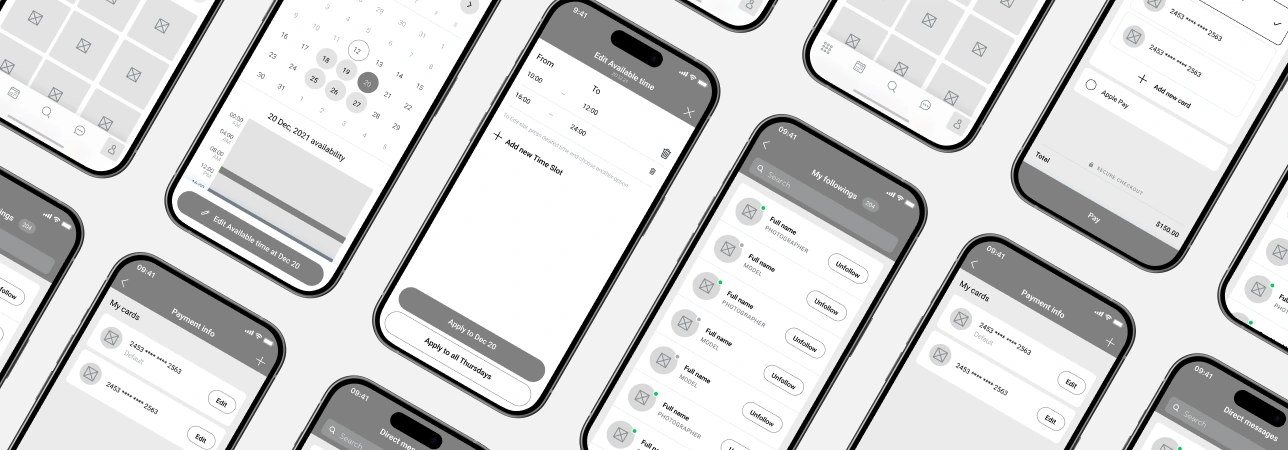
I mapped the core scenarios first: finding a creative, exploring their work, checking availability, starting a conversation, and arranging a shoot. These became the foundation of the app.
- 01Discover creatives
- 02Explore portfolios
- 03Check availability
- 04Chat & plan
- 05Book a session
Design principle
Let the photography
do the talking.
Photography is the core content. I kept the interface minimal, with clear navigation and a restrained visual language, so the work stays in focus.
The experience
From a first look
to a booked shoot.
A simple start.
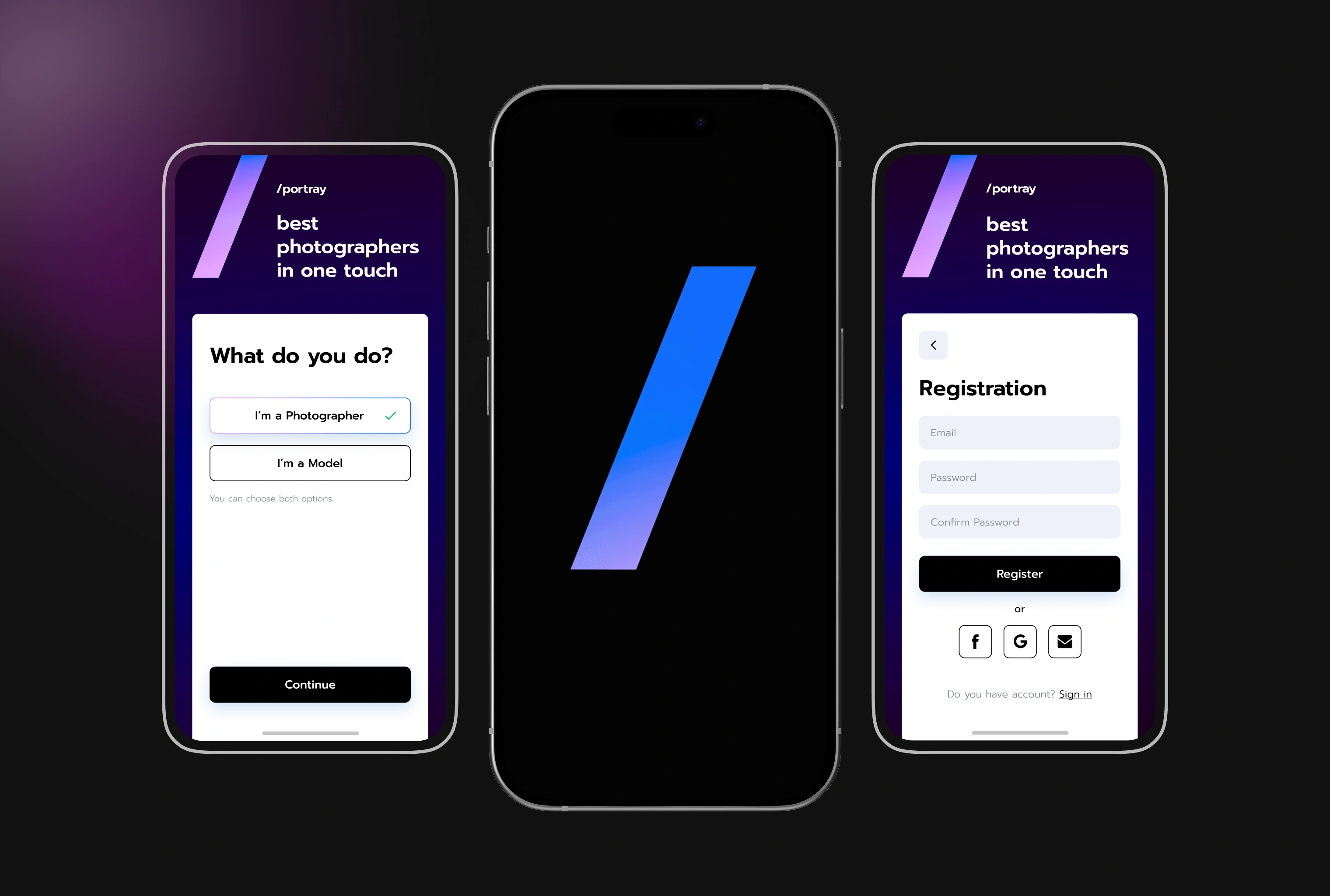
Choose a creative role and create an account before exploring the app.

A profile with
the right context.
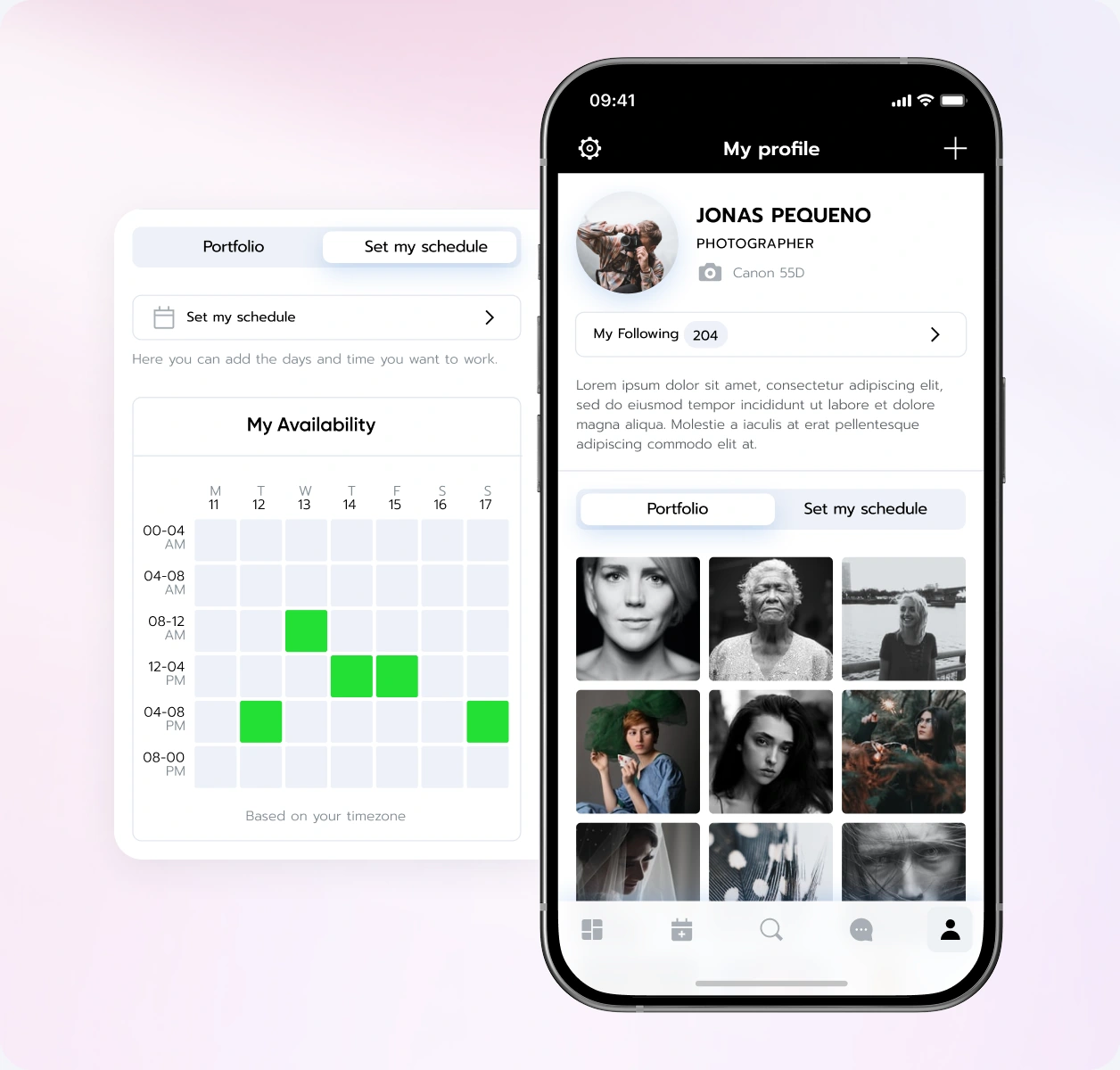
Work, experience, rates, and availability sit together. Creatives can show what they do, while potential collaborators get the context they need.
Designing availability
and booking.
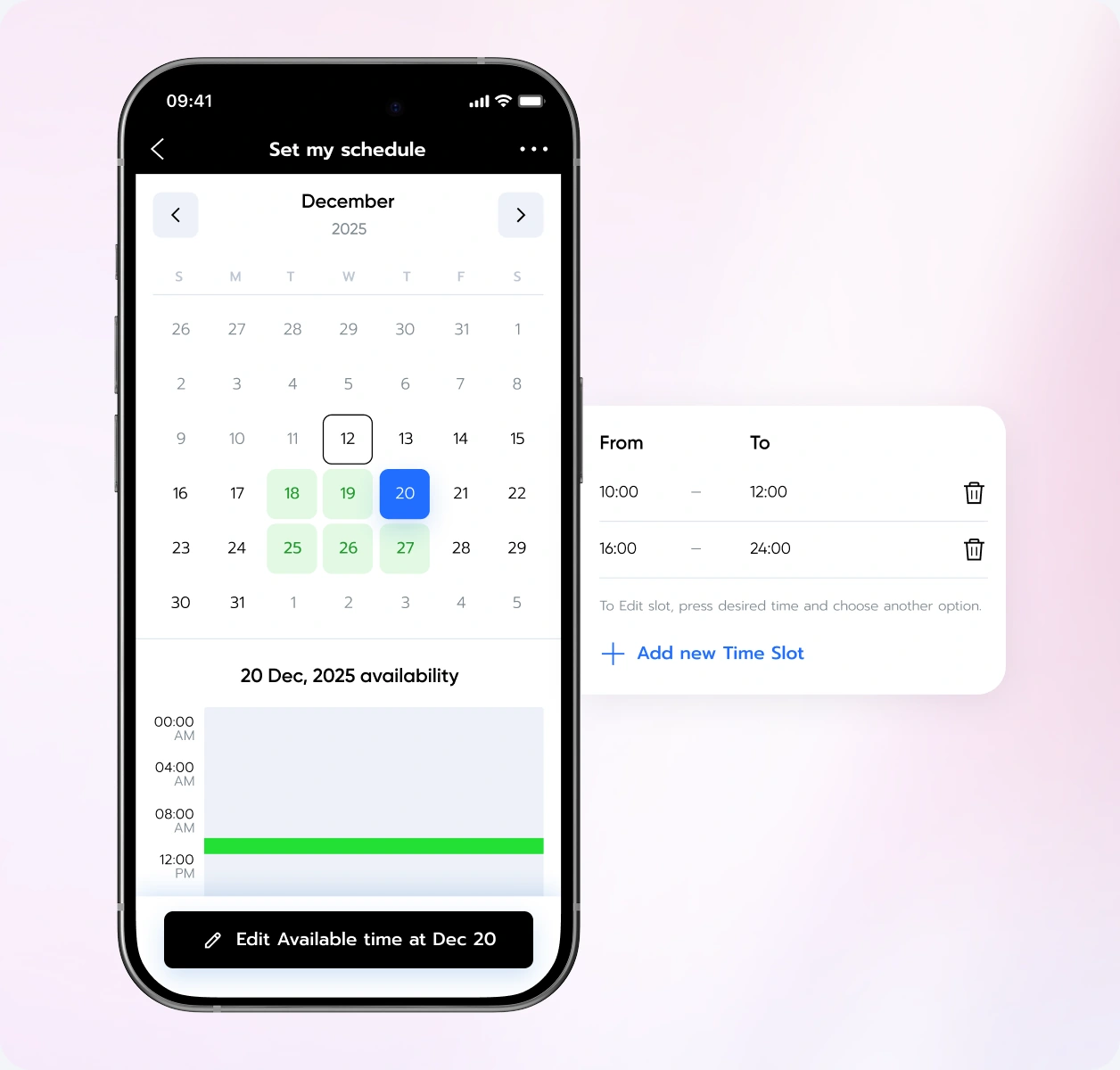
Availability and booking were the most challenging parts of Portray. Starting from the client’s idea, I proposed and designed the UX flow: how creatives set their available dates and time slots, and how potential collaborators check availability and arrange a photoshoot.
Keep the plan
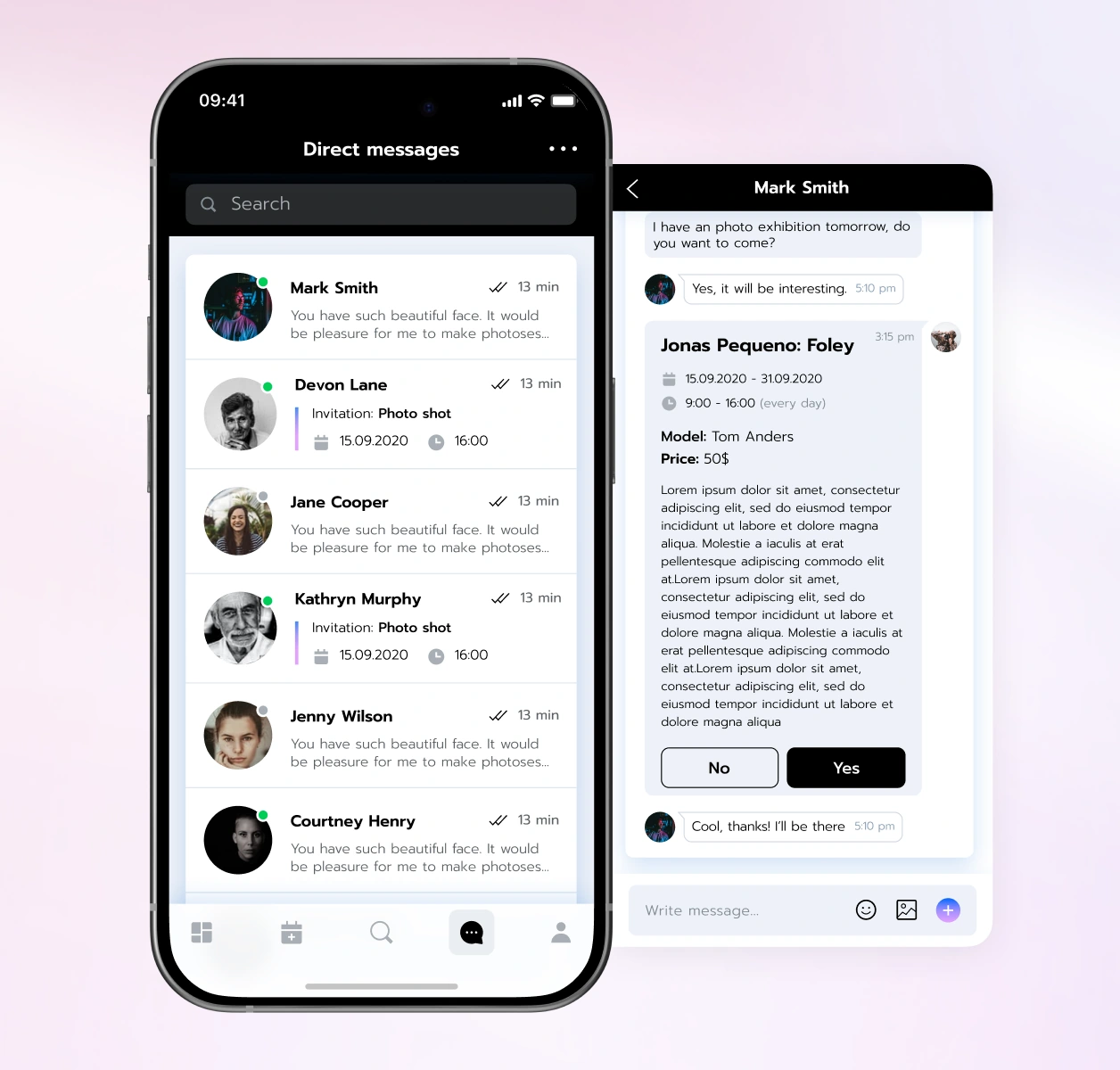
in the conversation.
Creatives can discuss a shoot, share details, and create an appointment inside the chat. The invitation keeps the date, time, and price together.
Find someone
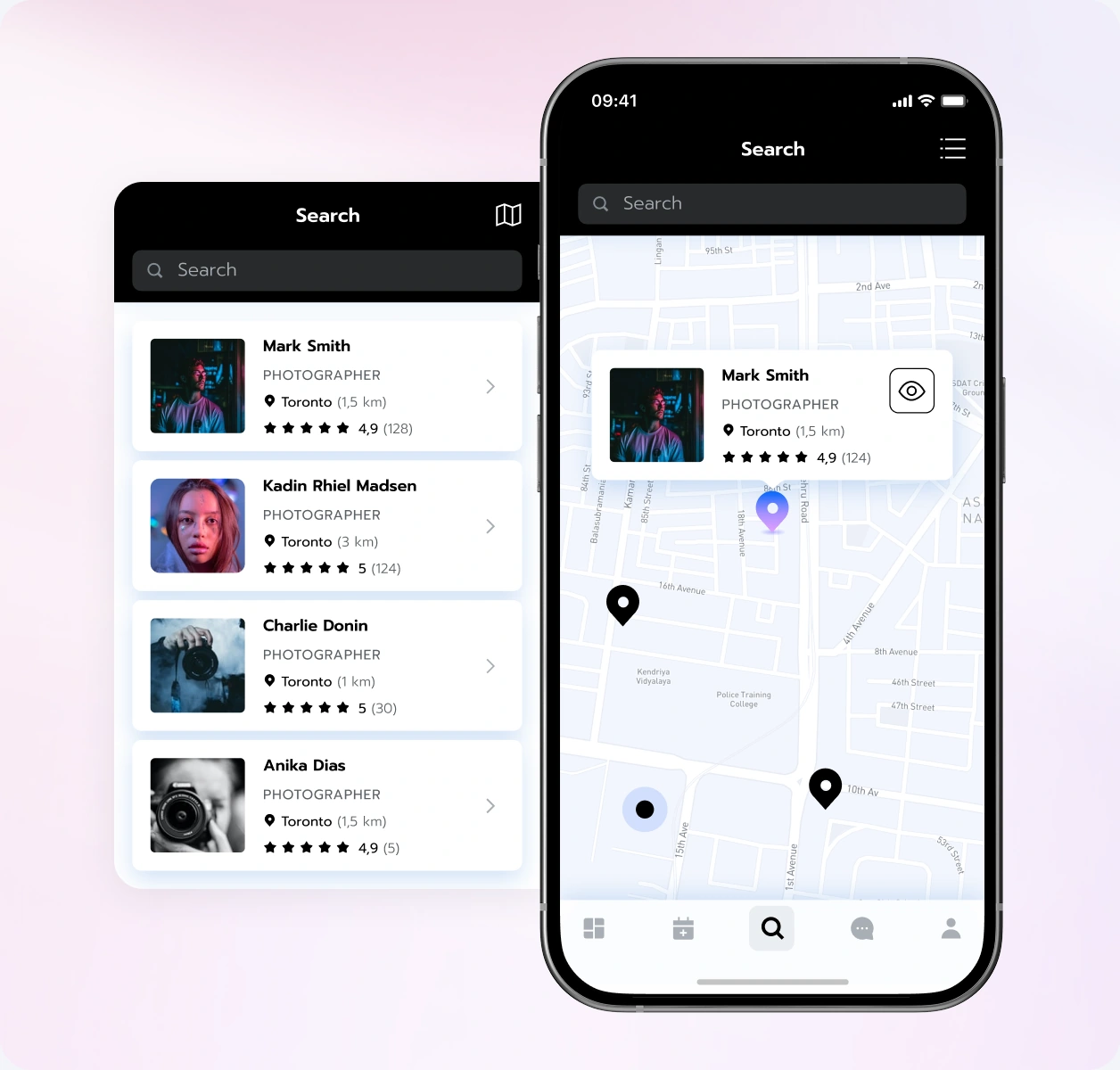
who fits the idea.
List and map views offer two ways to explore creatives. Profile previews help users move from browsing to a closer look at someone’s work.
Visual design
Room for the work.
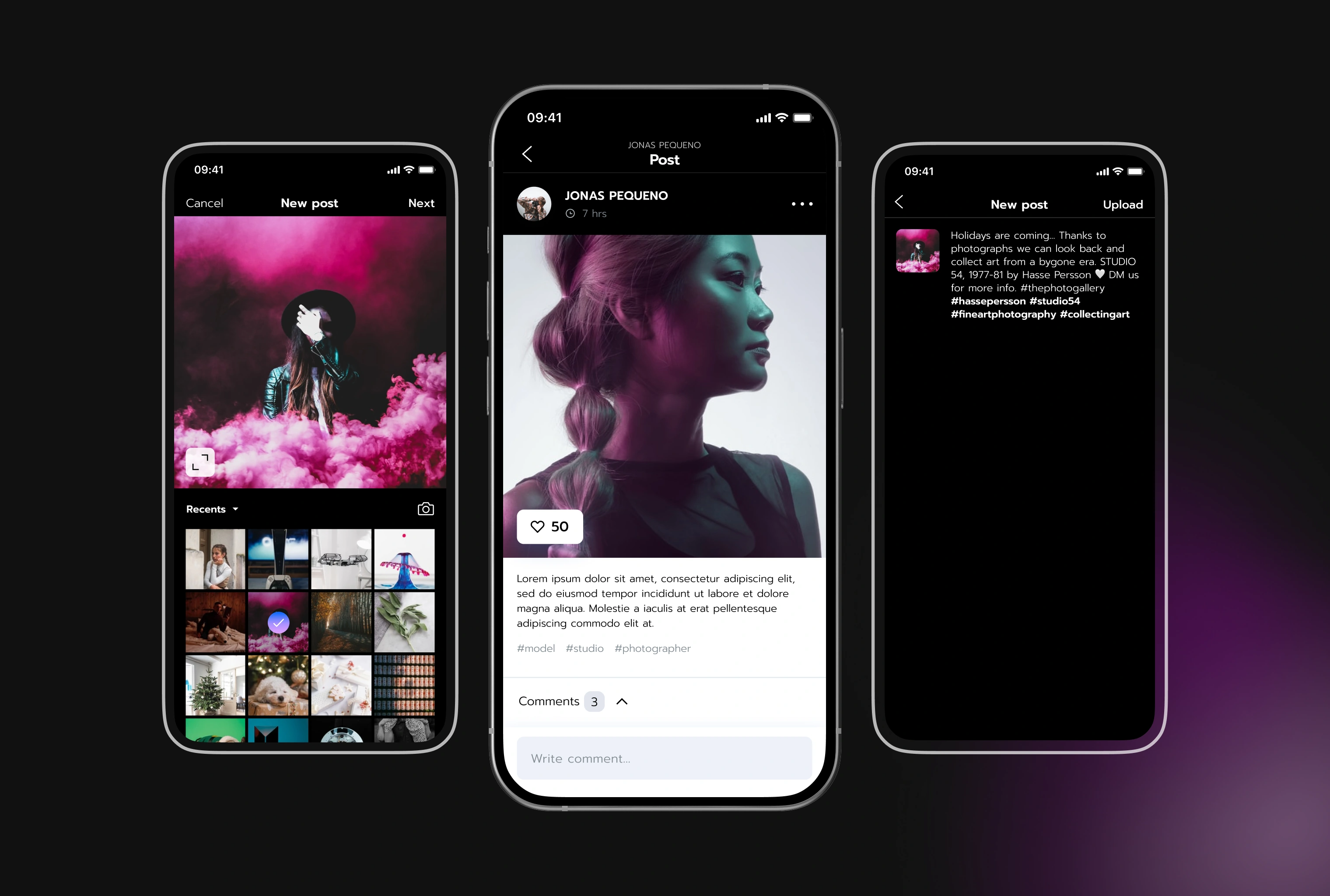
Clarity in the details.
A quiet interface gives photography room to stand out. The posting flow brings image selection, shoot details, and sharing into one focused sequence.
Bringing it together
A clear view of
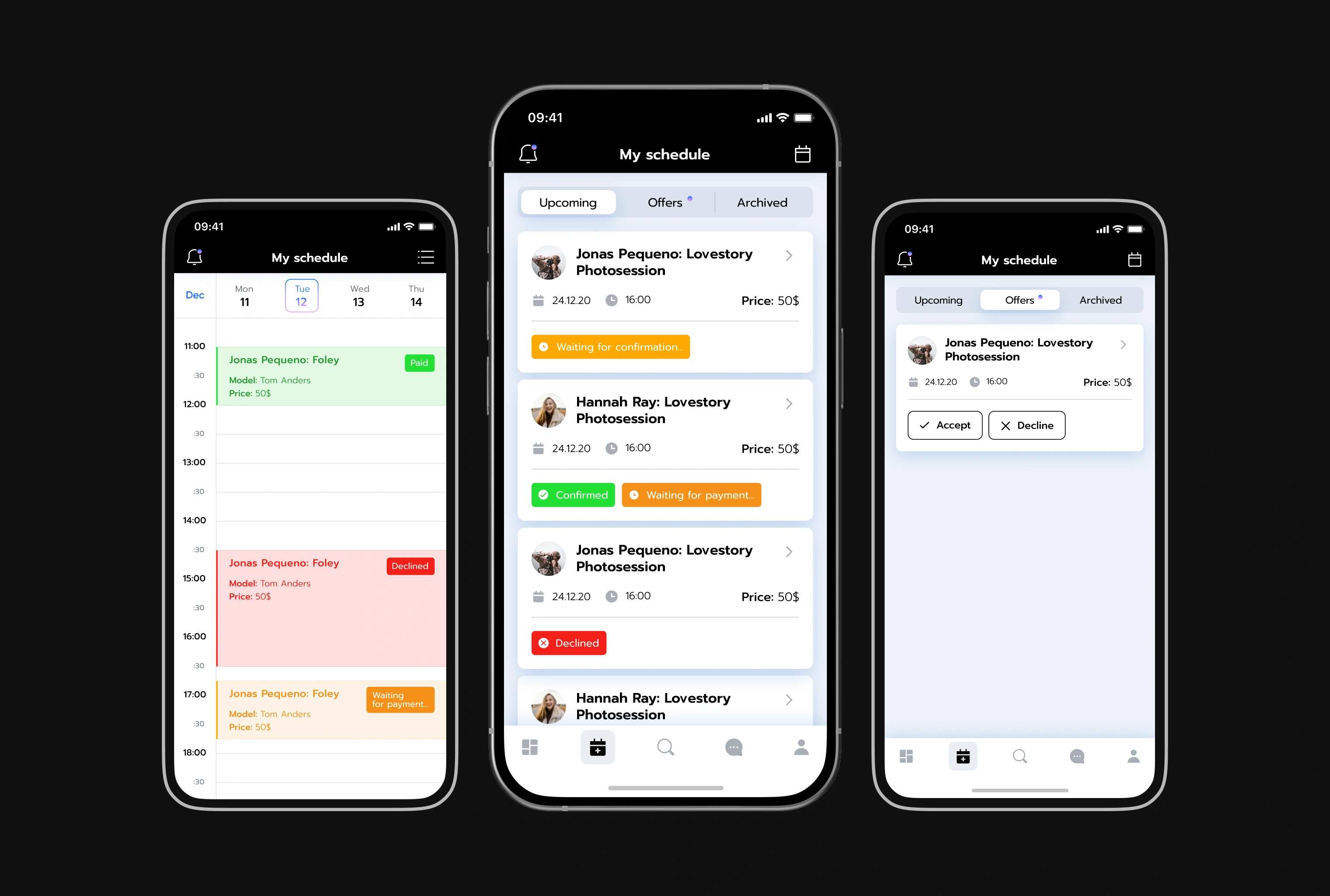
what’s coming up.
The schedule brings sessions and incoming offers together. Calendar and list views show dates, prices, and status, with clear actions to accept or decline an offer.
One connected iOS experience for discovering creatives, sharing work, and organising photoshoots.